Tuesday, 4 September 2018


1. Click CONTROl PANEL


2. Click on System and Security.


3. Click on Windows Firewall.


4. Click Turn off windows firewall.


5. Go back to Control Panel.


6. Click on User Accounts.


7. Click on Manage another Accounts.


8. Click on Add a User Account.

9. Enter the following details and click on Next.


10. Repeat step 9 twice to create new user accounts.


11. Go back to System and Security and click on System.


Tuesday, 24 April 2018

OPERATING SYSTEM QUESTIONS

What is Operating System ?


  • - It is an Interface between User and Computers and it Manages the Executions of all types of  Program.

  • What are the Types of Operating System ?
Generally, there are three types of Operating System.
- Microsoft Windows


- Mac OS X


- Linux


- Based on User Interface, An Operating System are :-
Command Line interface ( CLI ) :- It allows user to enter Commands as Texts to interact with
                                                        Computer. For eg :- MS-DOS, Unix etc.
Graphics User Interface ( GUI ) :- It have icons,menu etc. to the user to interact with Computer
                                                       For eg. Windows, Linux etc.


Difference Between Client OS and Network OS
 Client Operating System :- 

  • - It is Designed to Run on a Desktop Computer
  • - It is also Known as Standalone Operating System.
  • - A Client is Software that (usually) Connect to Server to Perform Actions.

Network Operating System :-
- It is Designed to Support Network.
- It Enables Various Computer Connect to Network to Share Resources Such as Data File, devices etc

Difference between System Software and Application Software
System Software :- System Software is Consist of Programs which Manages Computer Itself.
                                 Such as Operating System, File Management and Operating System manages
                                 Computer Hardware.
Application Software :- Applications Software is a Computer Program designed to Perform                                                        Various task and Activities. such as MS Office and more others etc.


Difference Between Features of Windows 8 and Windows 10 ?
 Features of Windows 8 :- 
- Live Tiles & Lock Screen.
- System-Wide Search......
- Refresh & Reset.......
- Settings Sync......
- Snap View For Multi-Tasking.......
- Pin Anything..
- Task Manager.

Features of Windows 10 :-
- Start Menu Returns
- Cortana on Desktop- Being Lazy just got a Lot Easier.
- Xbox App
- Project Spartan Browser
- Improved Multi-Tasking
- Universal Apps
- Office Apps get Touch Support
- Continum
- Action Centre
- Unified Settings/ Control Panel.

What is Partition ?
- A Logical division of Hard Disk is known as Partition.

What is Format ?
- Format means Erasing all the Data & Creating a New File System.

What are the Types of Partition ? 
- Primary Partition, Logical Partition & Extended Partition.
Primary Partition is Needed to Store & Boot an Operating System.
- Extended Partition :- Extended Partition are Divided into Logical Drivers, where Data Proper is
                                     Located.
                                     Extended Partition are used Only for Creating a Number of Logical Partition.
- Logical Partition :- Logical Partition are the Partition that are Created in Extended Partition Area.
                                  A Logical Partition

 What is a Difference between NTFS and FAT32 ?
  
                FAT32                                                                             NTFS

- It has Max. File Name has 83                                 - It has Max. File Name has 255 Characters.
   Characters.
- FAT32 Has File Size of 4GB                                   - NTFS has File Size of 16 TB
We May Easily Convert a FAT32 System to NTFS, But Reverse is not True, Because NTFS Follow
a Secure Protocol.

 What is Upgradation and Migration ?

- Upgradation means Upgrading From Lower Version to Higher Version of Windows.
- Migration means taking a Backup in External Drive and Performing Task on Another Computer.
- Hence it can be done into Another PC ( Migration ).

Difference Between Windows and Linux ?
- Windows has an GUI Interface whereas Linux has CLI Interface.
- Troubleshooting technical Problem is more difficult in Linux but as much simple in Windows.

How Many Rows & Column in Excel Show.
- ROWS :- 1048576
  COLUMNS :- 16384.

What is Backup and Restore ?
- Backup means Saving the File into Another Location that means Externally such as Hard drive or PD.
- In case of failure of Windows, we can restore a data.
- Restore means Gaining the Files after Installation which we are set.

How to Solve PC Slow Problem ?

- First Delete the Temporary Files by Command %temp%.
- Second Clear the Prefetch.
- By Scanning the Device through the Antivirus.
- Check For Hard disk Badsector.
- 

How to Solve Internet not Working ?
- Check Power button ON or Off
- Check Cables
- Check BIOS Configuration No Restriction put on Network
- Check Router or Moderm is Properly Configure.
- Check Adapter is Disabled if it, then Enable it.
- Check IP Config
- Check Adapter is Updated or not.
- Check IP Address using PING Command.
- Ping Default Gateway of our Router.
- Check Firewall Settings.
- Check Antivirus Settings.

How to Solve LAN Problem ?
- Check Power Button ON or OFF.
- Check Cables
- Check Cabinet LED indication of Router.
- Check No restrictions put on Network in BIOS.
- Check Adapter is Disabled or Not.
- Check IP Configuration.
- Check Adapter is Updated or Not.
- Use PING Command
- PING IP Address present in LAN network.
- If Still Showing Destination HOST Unread.
- Check Firewall Settings & Configure it Correctly.


Generally, there are three types of Operating System.
-

MOC QUESTIONS

  1.  How to Solve Boot.Mgr Problem ?

- First Go to BIOS and Set the Boot Priority for CD or DVD or USB.
- Insert a Media, we will Prompt as Press any Key to Boot from CD or DVD... PRESS IT.
- Windows will Load and select a Time and Language and click on NEXT.
- AFTER that Select a Repair a Computer and it will start Laoding.
- On above Check mark ON Use a Recovery Tools option.
- Click NEXT.
- Click ON Repair and Restart.
- Then Go to STARTup Repair.
- Startup Repair check for a Problems.
- It will Prompt for Restart your Computer to Complete Repairs.
- Click on Finish.

2. Difference between Mac and IP address?
- Mac Address is a Hardware Address that means it is unique to
 The Network Card which is installed on our PC
- Mac Address is of 12-bit hexa decimal
- IP Address is a logical address located to the Network device via
 Computer software.
- IPv4 is of 32-bit whereas IPv6 is of 128-bit .

3. How to add a Network Printer?
- First Connect a network printer by USB or LAN Cable.
- Go to Control Panel.
- Go to devices and printers.
- Click on Add a printer.
- Add a local or Network Printer
- Click Ok
- It will search for a available Printer and once it search it will detect .
- Select a Printer and install.

4. What is BIOS?
- It stands Basic Input Output System.
- It is a ROM chip on the Motherboard
- It is an interface between Computer
  Hardware and it's Operating System.
- There are basically 4 main function.
  POST :- it checks whether the hardware is properly connected or not.
Bootstrap loader :- it finds bootable Drive and load the Operating System.
Setup utility program :- the information related to Computer is been saved to NON- volatile memory , that is ROM.
Bios drivers :- it has one EPROM or EEprom .

5. Types of IP Address ?
- Unicast IP Address, this type of address used for one to one Communication.
- Multi-cast IP Address, used for One to many communication.
- Broadcast IP Address, used for One to Everybody Communication.

6. Types of Networks ?
- LAN, Local Area Networks.
- WAN, Wide Area Networks.
- MAN, Metropolitan Area Networks.

7. What is Subnetting ?
- Subnetting is a Practice of Dividing a Network into two or Smaller Networks.
- It increases Routine Efficiency, enhances the Security of Networks and Reduces the Size of Broadcast domain.

8. What is Subnet Masks ?
- An IP Address is Divided into Two Parts : Network and Hosts.
- For Example :- An IP Class A address Consists of 8 bits Identifying the Network and 24 bits
                            identifying the Hosts.
- A Subnet Masks Consists of 32 bits.

9. Difference between RAM & ROM ?
- RAM is a Volatile Memory.
- RAM is a Temporary Memory.
- RAM is also called as Primary Memory.
- ROM is a Non-Volatile Memory.
- ROM is a Permanent Memory.
- ROM is also called as Secondary Memory.

10. How to Upgrade Outlook ?
- Open the Outlook.
- Go to File > Account
- Click on Update Option.
- It will Prompt for Update Now
- Click on Update and it will Update.

11. How to Share a Network Printer ?
- Right Click on the Install Printer
- Go to Properties
- Go to Sharing Tab
- Check mark on the Sharing the Printer
- Click Apply and then OK.
TO ALLOW THE PERMISSION FOR SHARING A PRINTER FOLLOW THE STEPS BELOW :-
Go to Network and Sharing Centre.
- Go to Changing a Advanced Sharing Option
- Turn ON the File and Printer Sharing.

12. What is Virtualization ?
- Virtualization means Running two Logical Machines in One Physical Machines is Known as
   Virtualization.
- There are various Virtualization Platforms such as VMWARE.

13. What is Email Client ?
- Email Client is an Desktop Applications which is used to send and Receive Emails.

14. What are the Protocols of Email Client ?
- Basically there are three Important Protocols which are Recommended during Email Configuration.
- IMAP and POP for Receiving Email and SMTP for Send a Mail.

15. What are the Software for Email Client ?
- Mozilla Thunderbrid for Mac, Windows and Linux.
- AirMail 3.0 is the Email Client for MAC.
- MS Outlook 2016
- Eudora
- Microsoft Exchange.

16. Difference between Firewall and Antivirus ? 
- Firewall is a Network Security System that Monitors over all Incoming and Outgoing Network Traffic .
- Firewall is a Software Program which is used to Protect from Unauthorized Access to or a from private Network.
- Antivirus is an Software which is used to Remove Viruses.

17. Difference Between IMAP and POP ?
- POP delete Copies of Messages from the Server.
- IMAP4  not delete copies of Messages from the Server.

HARDWARE QUESTIONS

1. What is BIOS ?


  • - BIOS Standards for Basic Input Output System.
  • - It is a Rom Chip on the Motherboard.
  • - It is an Interface between Computer hardware & its Operating System.
  • There are Basically Four Functions of BIOS:-
  • - (POST) :- Power on Self Test,It Checks all hardware connected Properly or not.
  • - (BOOTSTRAP LOADER) :- It finds a Bootable Drive & Load its Operating System.
  • - (SETUP UTILITY PROGRAM) :- In a Non-volatile Memory the information about Computer System is Stored.
  • - (BIOS DRIVERS) :- It is a Collections of Program Stored in One or more EPROM or EEPROM.


2. What is difference between ddr1, ddr2, ddr3, ddr4 Memory's ?

- Difference between ddr1,2,3 & 4 are all about their Speed means a Frequency & their Pins & the
  Operating Voltages.

  • - DDR1 has 184 Pins and 2.5 Operating Voltage & Approximately 200-400 MHz Frequency.
  • - DDR2 has 240 Pins and 1.8 Operating Voltage & Approximately 400-800 MHz Frequency.
  • - DDR3 has 240 Pins and 1.5 Operating Voltage & Approximately 800-1800 MHz Frequency.
  • - DDR4 is Latest & it has 288 Pins and 1.2 Operating Voltage & Approximately 1800-2133 MHz  Frequency.


3. What is Difference between SATA and PATA ?

- 

  • - SATA Stand for Serial Advanced Technology .
  • - It Transfers a Data Bit by Bit from One Drive to Another Drive.
  • - SATA has a Data Transfer Speed of 150/300/600 MBs/ Seconds.


  • - PATA Stands for Parallel Advanced Technology Attachement. 
  • - It Transfers Data of 8 bit from One Drive to Another Drive or One Device to Another.
- PATA has a Data Transfer Speeds of 66/100/133 MBs/ Seconds.Therefore, SATA is Faster than    PATA.

3. What are the Difference Types of Hard disk ?
- PATA - Parallel Advanced Technology Attachement.
- SATA - Serial Advanced Technology Attachement
- IDE - Integrated Drive Environment.
- SCSI - Small Computer System Interface.
- SSD - Solid State Drive.

4. Troubleshooting No Power Problems in PC 
- Check Power cord Connected Properly or Not.


  • - Press Power Button of Cabinet, and see the LED Light is Glowing, or the FAN is rotating or Not.
  • - Open Cabinet, Check SMPS by Using Multi-meter by Shorting Green and Black wire with Metallic
  •   wire & also the Compatible Voltages.
  • - Disconnect the Third-Party Hardware Such as Printer & Scanner, if Connected.
  • - Check for Defective Button, Replace it.

Troubleshooting No Power Problem in Laptop


  • - Check the AC Adapter by Using Multi-meter
  • - Dis-Assemble the Laptop & Remove Top Cover.
  • - Connect the Power Adapter directly to DC in Jack, & Measure Voltages as per Adapter Mentioned.
  • - If there is a No voltage,Check for Harness/ Cable & it has to be replaced.
  • - Check the Fuse on Motherboard.
  • - Replace the DC to DC Converter Chip.


5. Troubleshooting No Display Problem in PC


  • - Plug Power cord & Check the Monitor is turning ON.
  • - Move mouse and tap key of keyboard, to ensure that it is not in suspended Mode.
  • - Check for Brightness, if Monitor is turning ON.
  • - Check VGA Cable
  • - Check RAM by Cleaning & Re-installing on Another Slot.
  • - Check CMOS Battery Voltage and Re-insert it.
  • - Remove internal Hardware to ensure which is creating a Fault.
  • - Check for BIOS Version and date and if necessary Update it.

Troubleshooting  No Display Problem in Laptop.

  • - Check Power Adapter is Properly Connected or not.
  • - Check Power ON Indication on Laptop Screen
  • - Check for Brightness by Pressing Fn + Up arrow key For increasing & Fn + down arroy key.
  • - Check RAM by inserting & Removing Dust.
  • - Check by Connecting another Monitor for display and if the Display has come, then the
  •    screen is Faulty.


6.  How to Check SMPS Faulty ?
- First Check the Power Cord Connected Properly.
- Check the Continuity of Power Cord & if it is OK.
- Open the Cabinet, Remove all Connections from Motherboard.


- Take a Metallic Wire, Short the Green & Black Wire in ATX Power 24 Pin Connector
- Switch ON, the Supply if fan Rotates, then it is Working.
- If not, then it is Faulty.

7. What are the Different DC Voltages ?
- IN SMPS,
                  
- As Shown Above,
                               Orange - 3.3V
                               Yellow - 12v
                                Blue - -12v
                                Red - +5V
                                Green - OK Signal
                                Purple - +5v Standby Volatges
                                Black - Ground/common
                                Gray - Power Supply Good or OK Signal

8. How to Set Boot Priority for USB in BIOS ?


  •  Enter in BIOS by Pressing Enter, Del & Esc Key.
  •  Go, to Boot Sequence Tab, Click onto it.
  •  Set the First Boot Priority as "Removable Disk" by Entering into 1st Boot Sequence & Select  Removable Disk.
  •  Your, Priority will Set as (USB).


9. What is Overclocking ?

  • Generally, it is related to Processor
  • Overclocking means if my Processor Speed is 3.20 GHz & if it is Running 4 or 5 GHz that means it is Overclocking.


10. What is BSOD Error, Causes and how to resolve it ?

  •  Generally, three Lines indicates the Error & it looks like a Blue Screen Dump.
  • The Name of Error, Code of Error & when Blue Screen Occurs, Windows Automatically    Creates a "Mini-dump" & Save to our Hard Drive.
  • Command for Checking a Bad Sectors is  >chkdsk c : /x /f /r
  • There will be Defective RAM.
  • Overheat Problem.
  •  Also browse the Solution by Entering a Name & Code of Error through Internet.


11. How Can I Upgrade a RAM ?

  • - First go to an Manufacturer Website
  • - Check whether we can Upgrade.
  • - Add one more RAM or else Replace with Older RAM.
  • - Open the Cabinet & insert the New RAM into Another Slot.
  • - Close the Cabinet and the Performance will Boost


12. How to Resolve a Hanged Computer ?

  • - Clean the RAM & Check.
  • - Check RAM by using Memory diagnostic Tool.
  • - Check for a Hard disk Bad Sector or Free up Some Space if it is Full.
  • - Use "chkdsk" Command for Checking bad Sector.
  • - Check the Processor if it is Overheating, then Apply Thermal Paste to avoid from Overheating.
  • - Go to BIOS, Check a Processor Overclocking.
  • - Check the Compatible Voltages of SMPS.


13. How to Resolve Random Restart Problem ?

  • - Check Power Cable
  • - Check Motherboard for an any Broken Power Connector.
  • - Check Fan is Rotating or not.
  • - If not Replace it or Add Additional Fan.
  • - Replace a RAM by Another Empty Slot.
  • - Clean the RAM & also the Slot of RAM.


14. How to Resolve Audio Problem in PC

  • - First Check Speaker Volume Settings.
  • - On, Taskbar there is a Sound Symbol & Check it is Mute or Not.
  • - Check Audio Jack is Properly Connected on the Correct Audio Port that is Green (line out).
  • - Replace a Faulty Cable.
  • - Check BIOS and Enable a High Definition Audio if it is Disable.


15. Troubleshoot No Audio issue & Webcam in Laptop

  • - Enable Audio Configuration in BIOS
  • - Connect a Speaker & Headphones Externally & if Audio Works, then Replace Audio Jack.
  • - Test Internal Speaker by Connecting a External Speaker.
  • - If Audio not works , Replace Internal Speaker.

                      Webcam

  • - Go to BIOS Setting, in Peripherals Enable the Webcam
  • - Check any Sticker is Covering a Webcam or not.
  • - Check the Drivers Installed.
  • - Connect a Webcam Externally & if it works then the Hardware is OK.


16. How to Check a Hard Disk Bad Sector 
There are two ways to check Bad Sectors of Hard disk.


- By Command
- By Manually
By Manually :- Go to my PC, double Clcik
                          Go to System Drive (c).
Right Click ; go to properties ;go to Tools Check now ; Click for Bad Sector.
By Command :- Type chkdsk command in command prompt.

17. How to Resolve Computer Slow Problem 

  • - Close all the Programs which are active in Background.
  • - Ensure that the Antivirus is Not Scanning the Computer since it also make it  Slow.
  • - Delete Temp files by Command such as %temp% in command prompt.
  • - Free Hard drive Spaces
  • - Check for Bad Sector.
  • - Scan for Viruses.


18. How to Troubleshoot 3 Short Beeps Problems of Computer 

  • - This 3 Short Beeps Indicates That there is RAM Problem.
  • - Check the RAM if necessary Replace it.


19. What is Turbo boost and Virtualization ?

  •  Turbo boost means when a Processor demands a High Processing speed or Frequency then, it is  Used.
  • Virtualization means a Running a two Operating System in One Single Machine.
  •  It is available in Intel Core i5, Core i7 and some Core i3 processors. Intel achieves Turbo Boost using dynamic overclocking techniques.

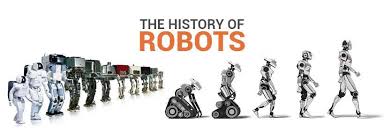
Robotics?

what is robotics? Robotics is a branch of engineering that involves the conception, design, manufacture, and operation of  robots . This ...